


MZTKICKS Shopping Process

Step-by-step guide
MztKicks Shopping Process
New to MztKicks? Follow these six steps and your order will be on its way in no time.
Before you start — please note
-
After placing and paying for your order, make sure we can reach you to confirm your details and approve QC photos — otherwise your shoes cannot be dispatched.
-
If you have any questions at any point, contact us via WhatsApp +852 4648 9692 or email support@mztkicks.com.
-
Join our Discord server to enjoy VIP benefits, monthly giveaways, and connect with the community.
The 6-step ordering process
1
Create your account and sign in
Click "Sign In" in the top-right corner of the MztKicks website to register and log in to your account.
An account lets you track your order history. Make sure you use a valid email address that you have access to — we'll send important updates there.
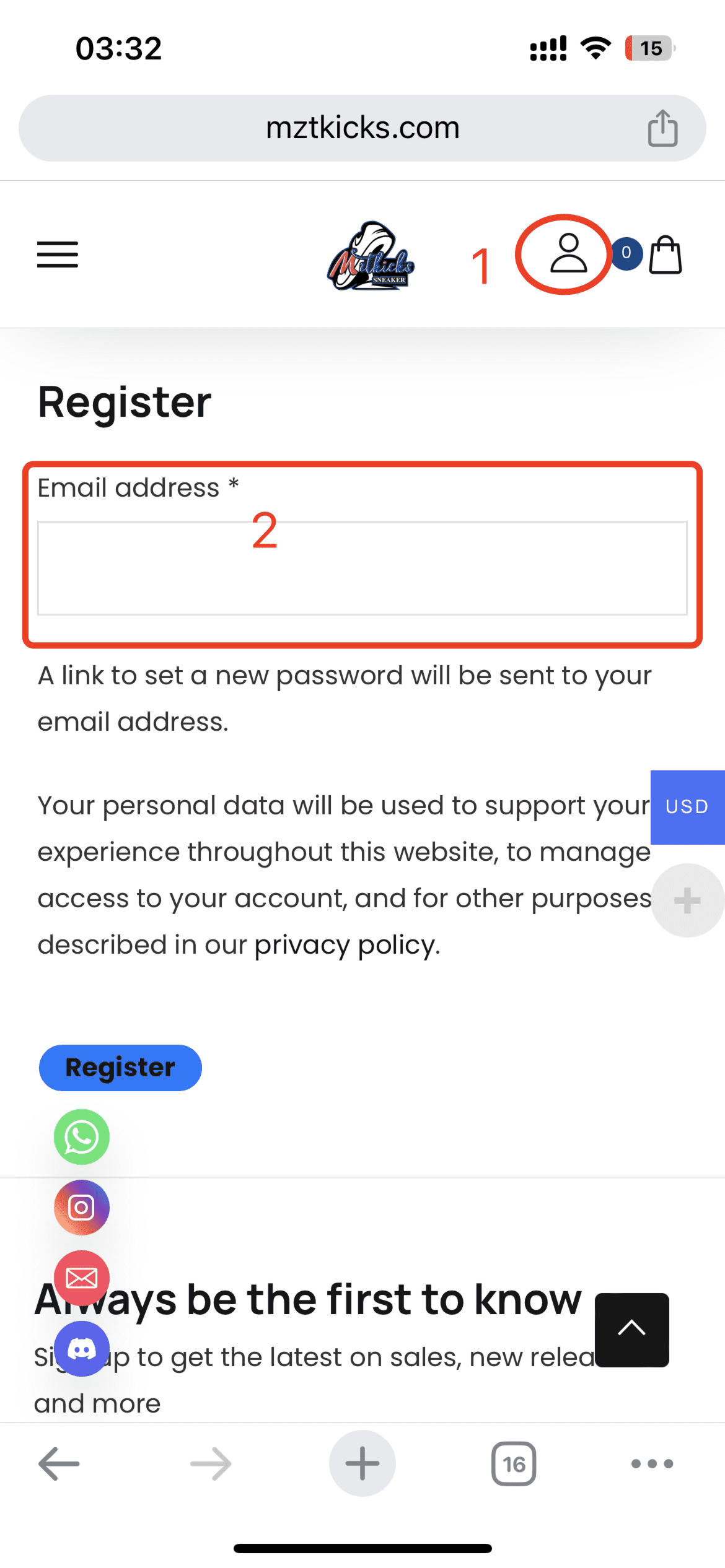
The sign-in / register page
2
Choose your shoes and add to cart
Select the shoes you want, choose the correct size, and click "Buy Now" to add them to your cart.
Not sure about sizing? Message us on WhatsApp before ordering and we'll help you find the right fit.
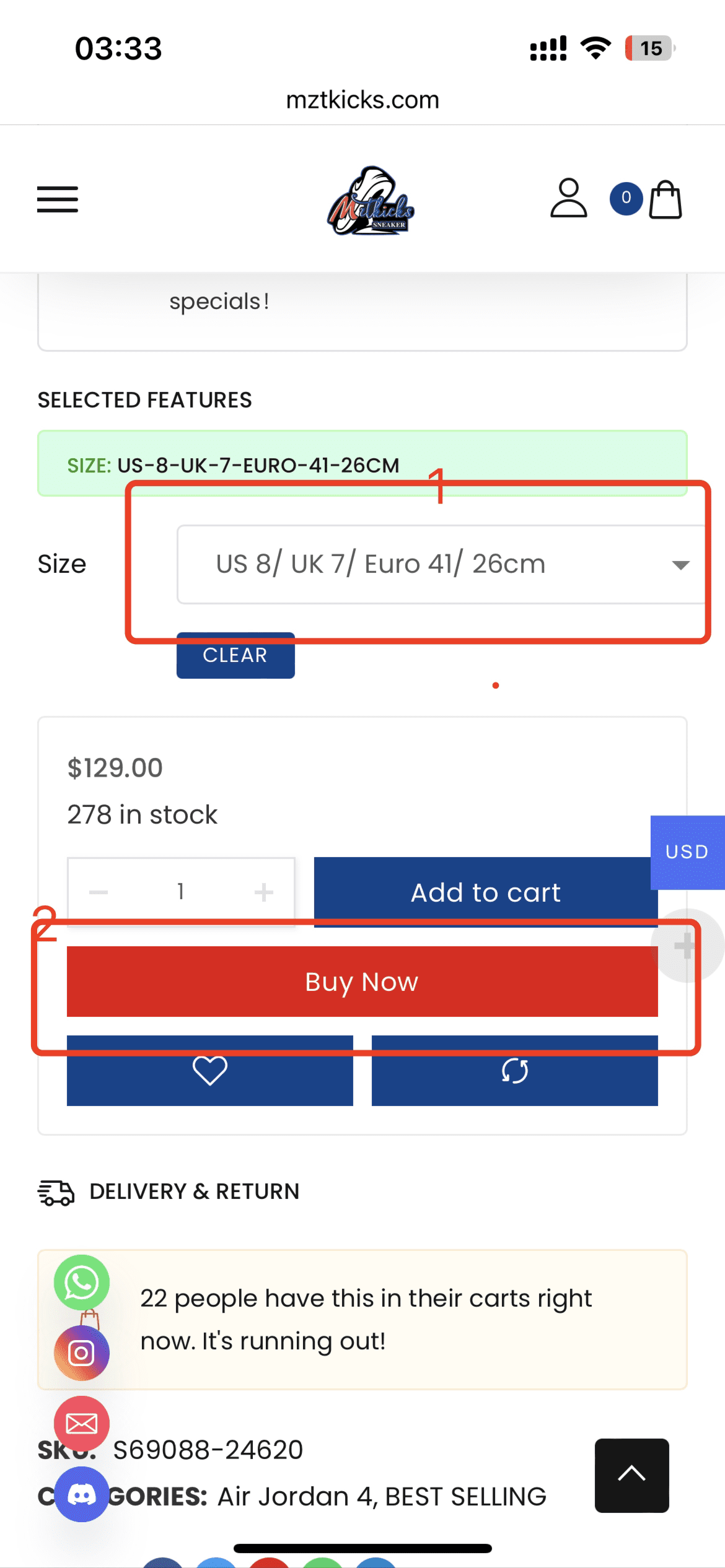
Selecting size and adding to cart
3
Complete your payment
- First Fill in your contact and shipping information accurately. Ask customer service for a coupon code via WhatsApp or email before checking out.
- Second In the "optional" field, add any requests and your preferred contact method — we'll use this to send you QC photos for approval before shipping.
- Third Select your payment method and complete the purchase.
Payment failing? Contact us on WhatsApp, or read our Payment Troubleshooting Guide first.
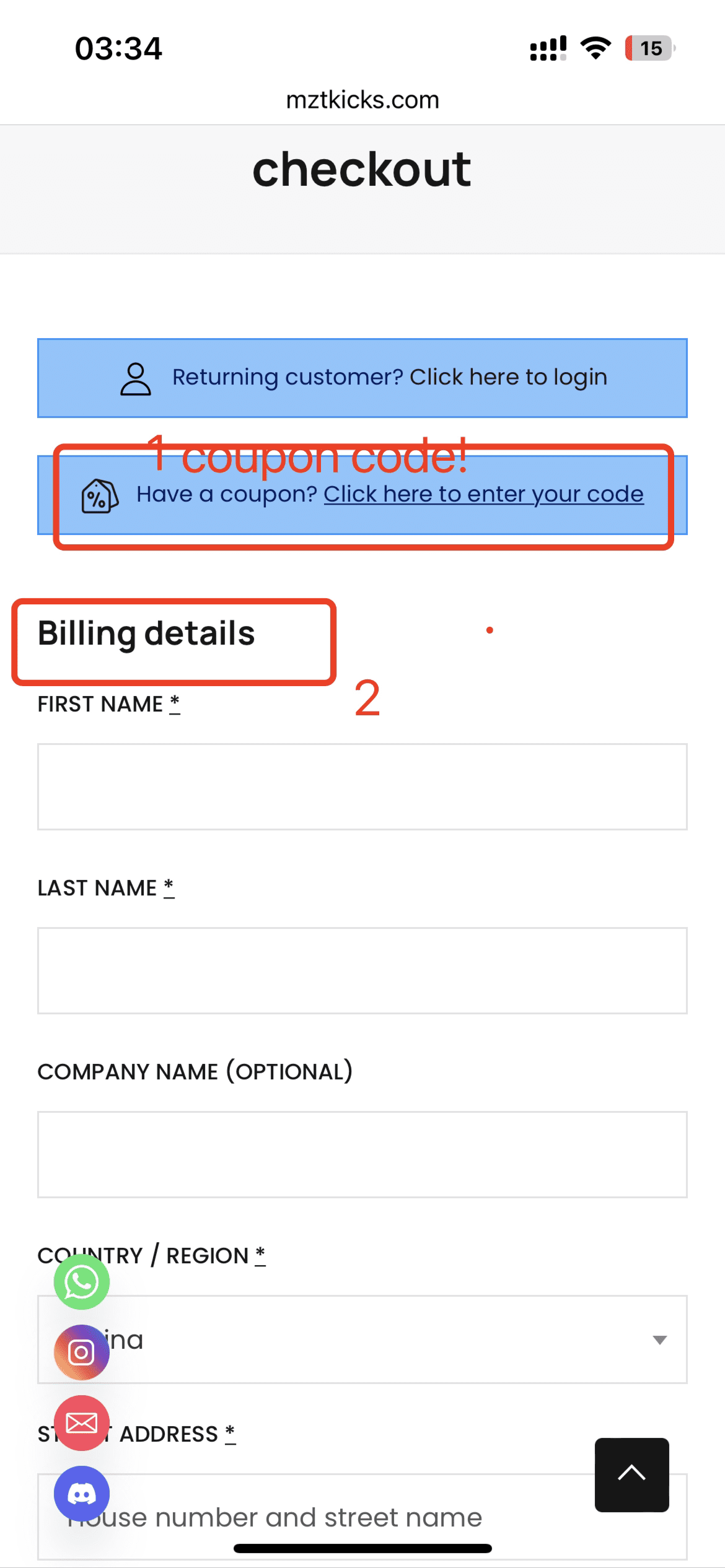
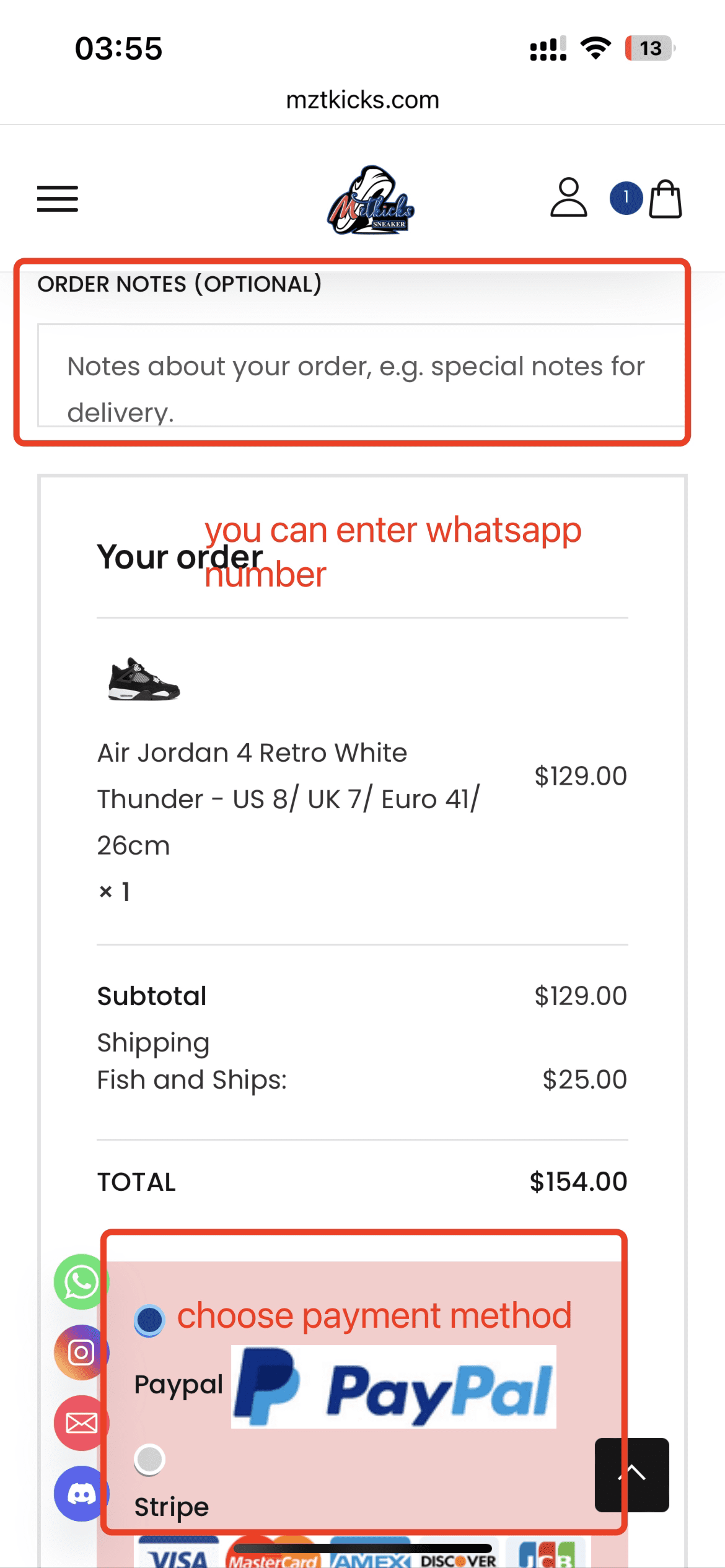
Checkout form and payment selection
4
Confirm your order information
Within 24 hours of payment (on working days), our customer service will contact you via WhatsApp or email to confirm your order details.
If everything is correct, simply reply: "Everything is correct."
Didn't receive our message? Check your spam/junk folder. If still missing, reach out to us directly via WhatsApp.
5
Approve your QC photos
Within 2 working days of order confirmation, we'll send you quality control (QC) photos of your specific pair via WhatsApp or email.
If you're happy with the shoes in the photos, reply: "Everything is correct" to approve shipment.
Some styles may take longer if temporarily out of stock. If you haven't heard from us, check your spam folder or message us on WhatsApp.
6
Shipment & delivery
Once you approve your QC photos, we dispatch your order. Within approximately 5 working days, our customer service will send you shipment photos, a tracking number, and a tracking website link via WhatsApp or email.
Delivery typically takes 10–21 working days after QC approval.
Tracking not updating? Read our Frequently Asked Shipping Questions guide first. If that doesn't resolve your issue, contact us on WhatsApp.
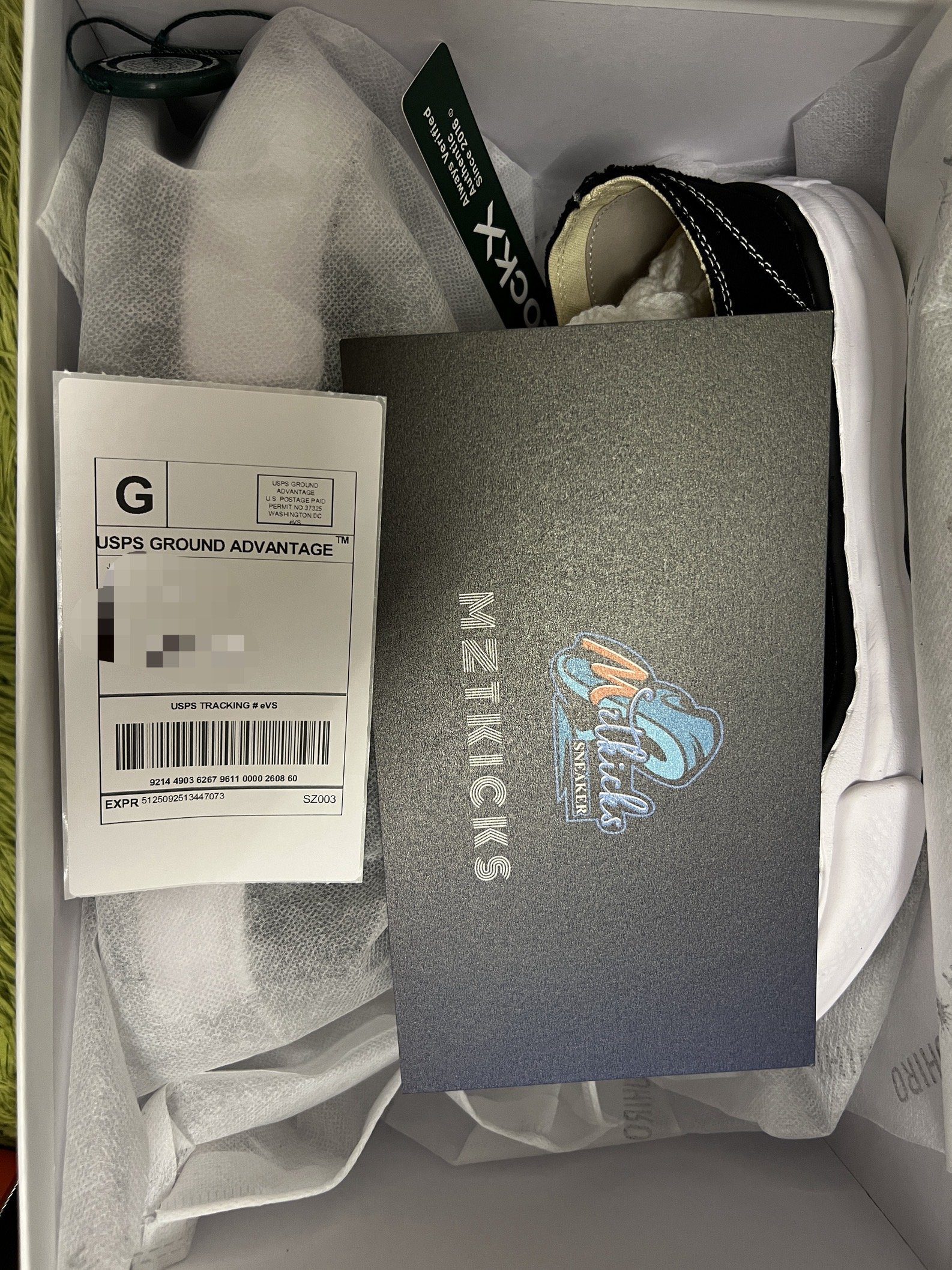
Package ready for dispatch
Need help?
Our customer service team is available every day. Don't hesitate to reach out at any stage of your order.
 Asics
Asics Air Jordan
 Adidas
 Bape
Bape Off-White
 Nike
Nike New Balance
 Kobe
Kobe Travis Scott
 Supreme
 AMIRI
AMIRI Alexander McQueen
 Balenciaga
 Bottega Veneta
 Balmain
 Burberry
 Chanel
 Christian Louboutin
 Dior
Dior Gucci
Gucci Golden Goose
 Hermes
 Louis Vuitton
 Lanvin
 Loewe
Loewe Marni
Marni Maison Margiela
 Maison Mihara Yasuhiro
 Prada
Prada Rick Owens
 Timberland
 Versace
 Jeans
Jeans Jackets & Coats
 T-Shirts
 Casablanca T-Shirts
 Suit & Set